Whitewater · October 13, 2026

Build the
Impossible.

A talk about the user experience, being brave, and the footsteps of a new frontier.

  1. 00 New web host
  2. 01 Gravel Map
  3. 02 Race Forms
  4. 03 The Org Chart
  5. 04 Marketing
  6. 05 Calendar
  7. 06 What’s next: idea to done

First, the technicals

A new web host for your sites.

Estimated saving $1,300–1,500/mo $15,600–18,000 a year
Today

WP Engine

$1,800/mo$21,600 a year
Plan
Premium 2
Sites
10 sites, 17 environments with staging
Storage
95 GB used of 200 GB (39 GB live, 55 GB staging)
Bandwidth
2,672 GB in the last billing cycle
Visits
710,696 total · about 211,000 billable
Platform
Google Cloud, Ubuntu 22.04, PHP 8.4, MySQL 8.4
Included
Firewall and CDN, daily backups, staging, patching, support line
Proposed

DigitalOcean + SpinupWP

$300–500/mo$3,600–6,000 a year
Production droplet, all ten sites8 vCPU · 16 GB RAM · CPU-optimized~$170
Droplet backups~$35
Staging droplet$25–50
SpinupWP server management$15–50
Cloudflare in frontCDN and firewall, Pro on the main domains$25–125
Off-server backups$5–10
Optional: managed database$60–120

DigitalOcean figures are estimates from list prices and need confirming before we commit. Usage read from the WP Engine portal, billing cycle Sep 10 – Oct 9.

01 · Gravel Map · Today

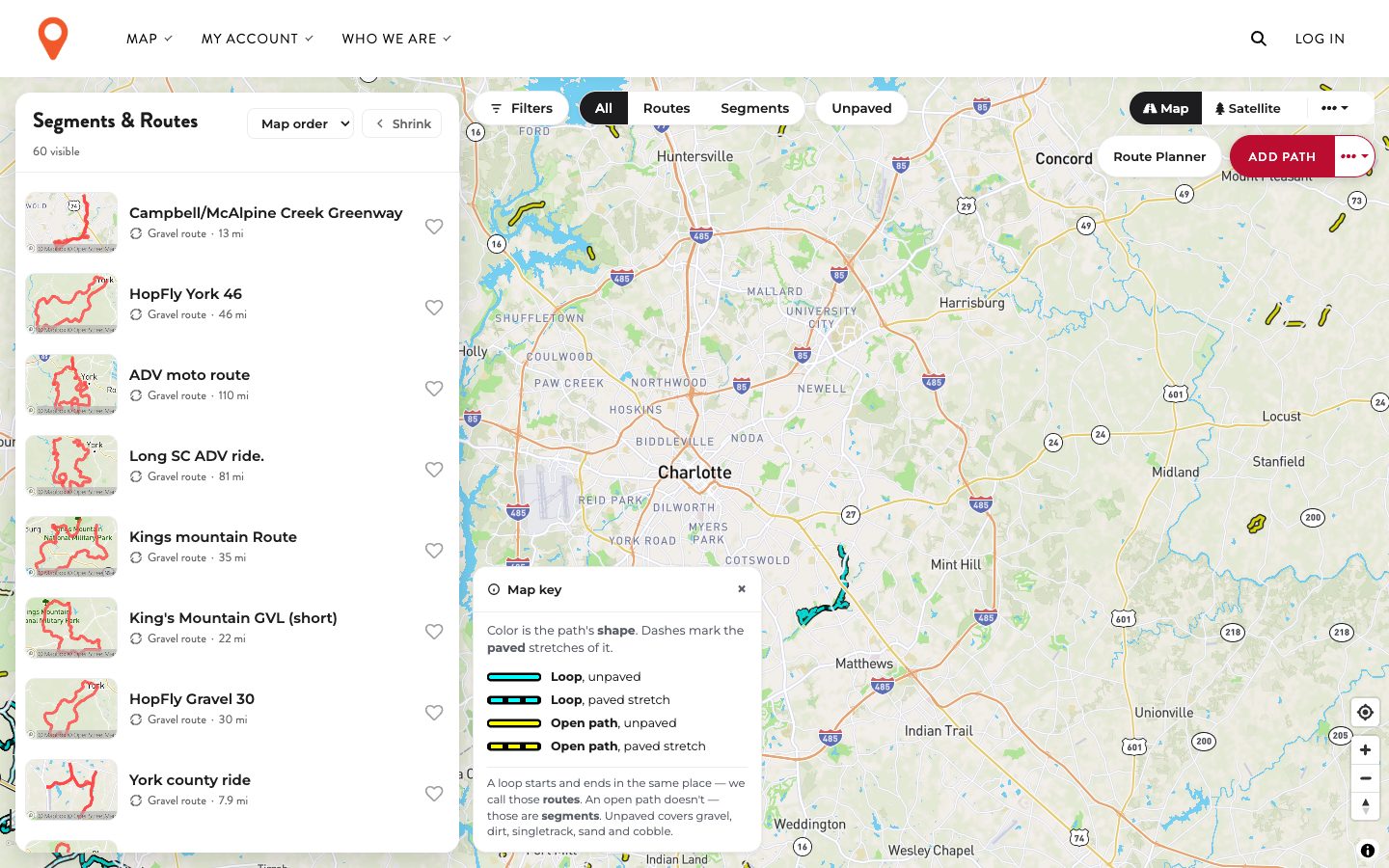
It’s wearing Whitewater’s clothes.

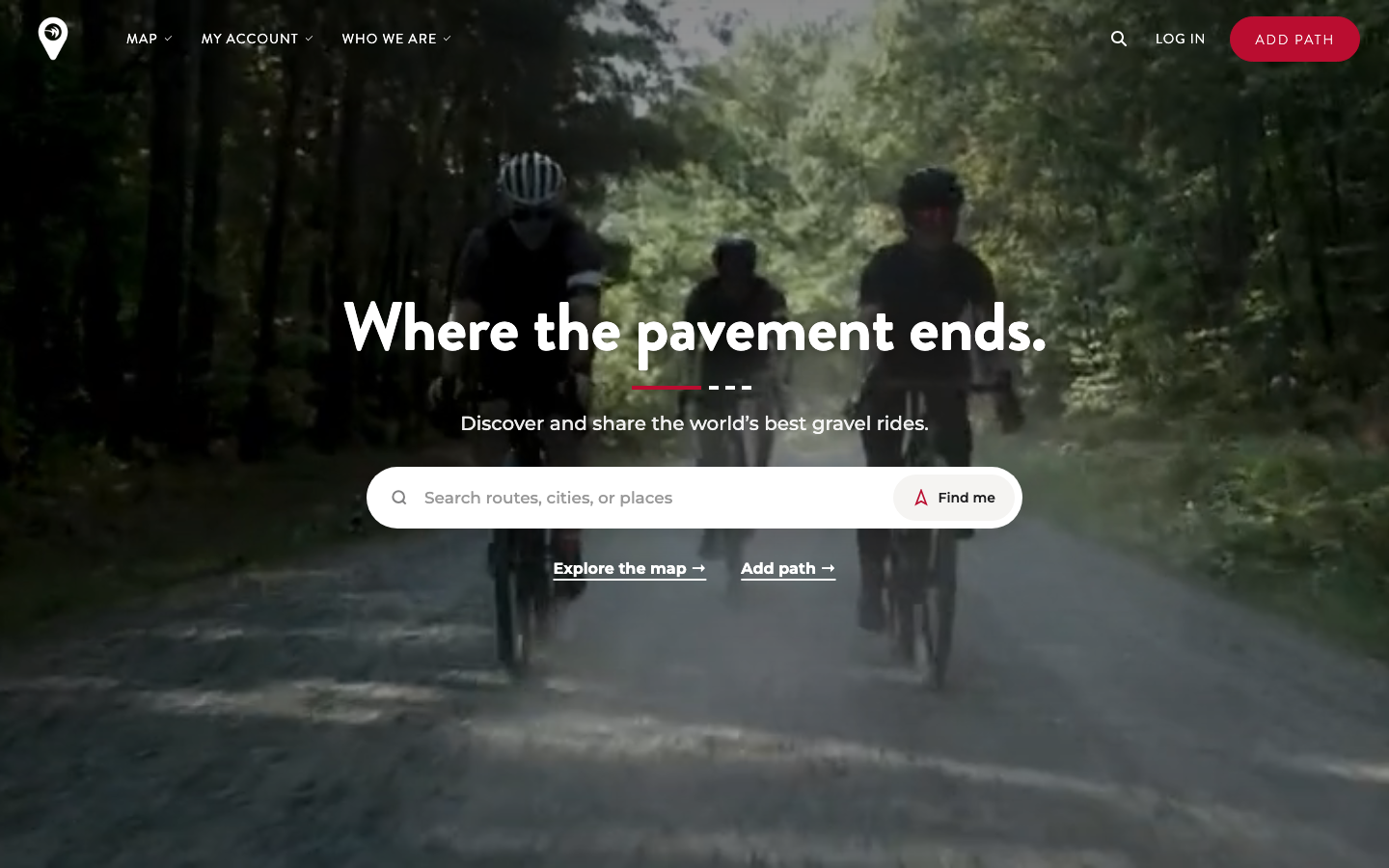
  1. Borrowed type and buttons. The headline face and the red button are Whitewater’s. They read as a Whitewater sub-page, not a map for gravel riders everywhere.
  2. A sparse menu. Three dropdowns spread across the bar to hold about ten links.
  3. Two accents. The pin is orange, the buttons are red. Neither one owns the page.
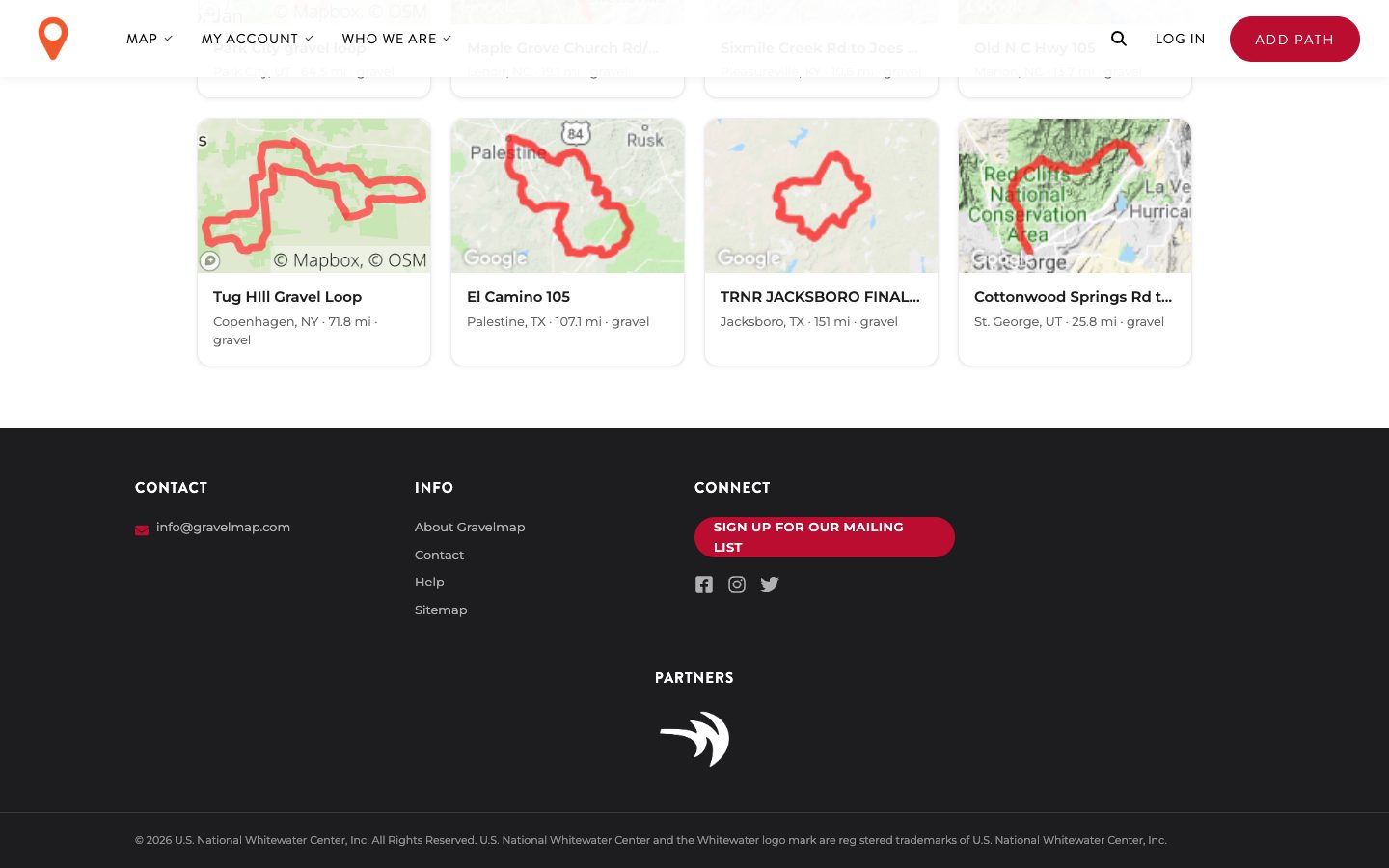
  4. Whitewater is hidden. It appears as an unlabelled logo under “Partners”, and as a link inside “Who we are”.
gravelmap.com
Gravelmap home page today 3 2 1 1
gravelmap.com/map
Gravelmap map view today
gravelmap.com · footer
Gravelmap footer today 4

01 · Gravel Map · Proposed

Its own brand. Whitewater’s name on it.

Mark gravelmap
Colour One accent, taken from the pin it already has. The yellow and teal come from its own map key.
Type Where the pavement ends A condensed road-sign face in place of Whitewater’s.
  • Three menu items, no dropdowns: Explore, Routes, Add a path.
  • The dashed line becomes the signature. It already means “paved stretch” on the map.
  • “A Whitewater property” sits in the footer of every page, with the mark.
gravelmap.com · concept
gravelmap Sign inAdd a path

Where the
pavement ends.

Discover and share the world’s best gravel rides.

645 regions to browse

A working sketch, built in the browser. Same content and features as today, re-dressed.

02 · Race Forms

Registration that looks like the race.

We can start this today.

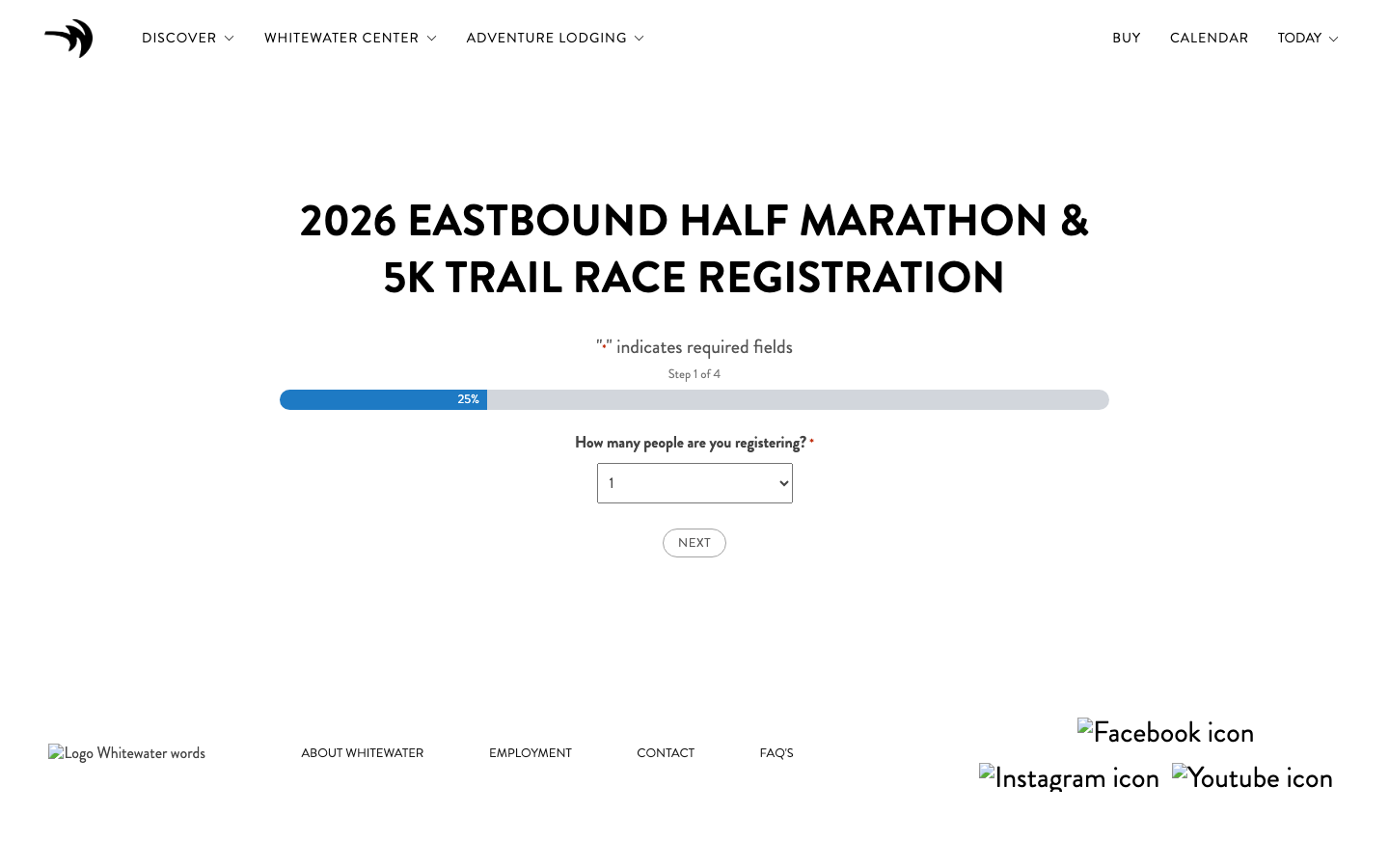
Before · every race
The classic registration form
  • One question at a time, in the race’s own artwork and type.
  • Same form underneath. Payments, coupons, entries and emails are untouched.
  • One small settings file per race. Built for Eastbound and Build Your Own Boat; off until we switch it on.
After · Eastbound, welcome
The new registration experience

03 · The Org Chart

How it all connects.

Drag to pan · Scroll to zoom · Click any component

04 · Marketing

What the team is asking for.

RequestWhat it takes nowStatus

Click any cell to edit. Changes stay on this computer.

05 · Calendar · If we get to it

From a list of dates to “what should we do?”

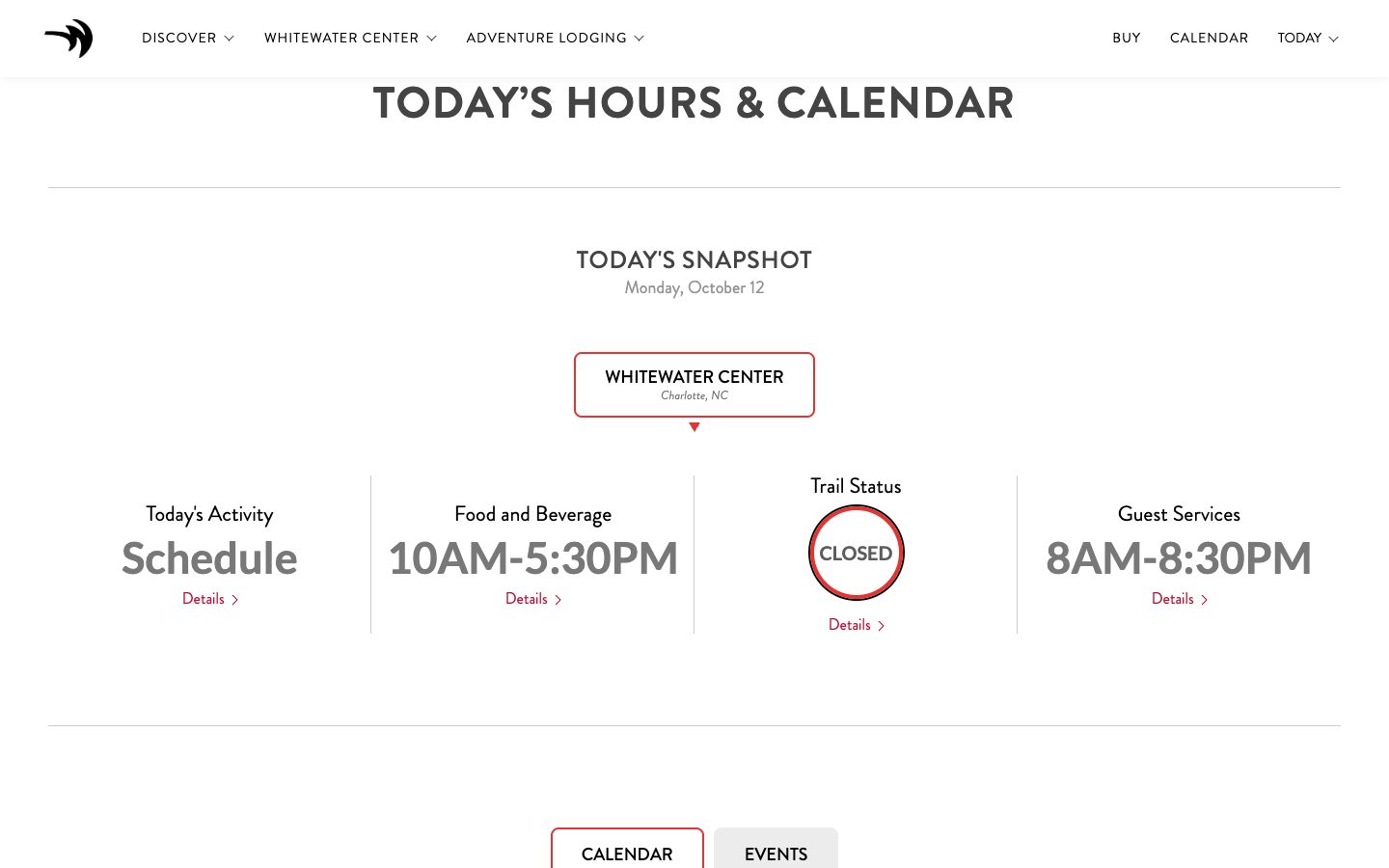
  1. Answer first. Today’s hours, what’s open and trail status at the top of the first screen. Today the calendar starts two screens down.
  2. Filter by interest. Races, music, yoga, kids, film. One tap, and the page remembers.
  3. This weekend. A view built for the question most people arrive with.
  4. Follow, don’t check back. Add one event, or subscribe to a whole category in your phone’s calendar.
  5. Plan my day. Pick two or three things and get a timed itinerary with the right pass.
  6. Ask it. “What’s good for a seven-year-old on Saturday?” answered from the live schedule.
The current calendar page
Today · second screen of the page
Open todayHours, activities and trail status in one line
Ask the calendar…“What’s good for a 7-year-old on Saturday?”

    Concept with sample dates, to show the interaction.

    06 · What’s next

    From idea
    to done.

    Picture Whitewater with a bot beside every seat. Anyone can raise an idea. It goes up the chain, the bots do the work together, and the result is waiting on a desk.

    1. Someone has an idea
    2. It travels up the chain
    3. The bots do the work
    4. Done, waiting on their desk

    It’s timeto thinkbig.